
How to Keep Adult Wellness Order Notifications Private: Email, SMS and Tracking
Learn how to keep adult wellness order notifications private, including order confirmation emails, shipping alerts, tracking messages, SMS notifications and shared-device privacy.
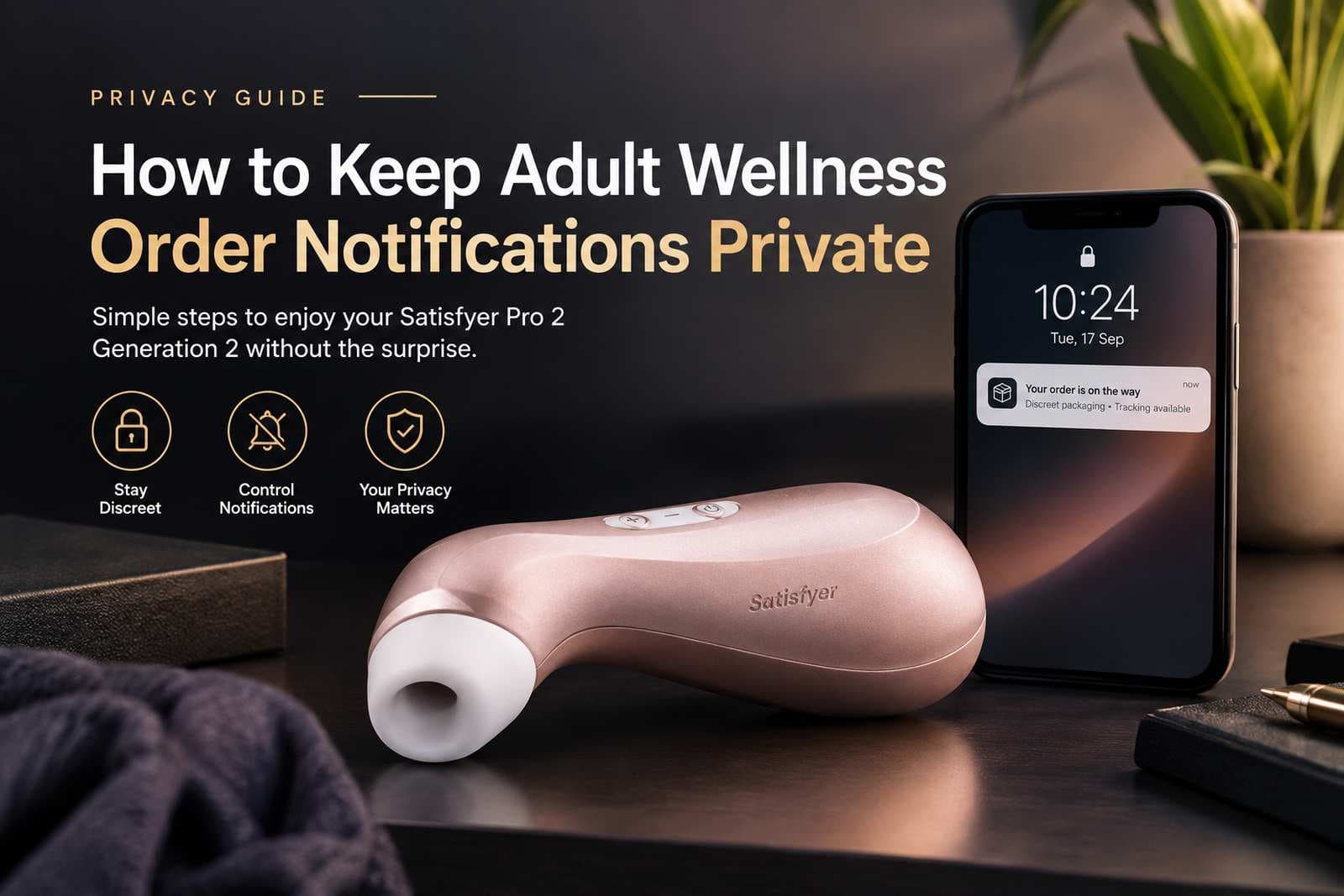
How to Keep Adult Wellness Order Notifications Private: Email, SMS and Tracking
Buying an adult wellness product online is only one part of the privacy journey.
Many shoppers naturally think about the physical parcel first. They want to know what the outside of the package will look like, whether the product name will be visible and how the delivery will arrive.
Those are important questions.
But there is another part of online shopping that is easy to overlook:
What happens on your phone and in your email account after you place the order?
An order can generate several digital messages, including:
- Order confirmation emails
- Payment confirmations
- Dispatch notifications
- Tracking messages
- Delivery notifications
- Customer-service emails
- Account notifications
- Marketing emails or promotional messages
If another person can see your phone notifications, access your email account, use a shared computer or view a shared inbox, these messages can potentially reveal information about your purchase.
That is why digital notification privacy deserves its own place in a privacy-conscious shopping routine.
At Velvet Privacy, we believe privacy should be considered throughout the customer journey rather than only at the physical delivery stage.
The practical journey looks more like this:
Product research → checkout → payment → order confirmation → shipping notification → tracking → delivery
Each stage can involve different information.
This guide explains how to manage the digital notification side of an adult wellness purchase while keeping the subject separate from our existing guides about discreet packaging, discreet shipping and how discreet delivery works.
Why Order Notification Privacy Matters
An email or text message may appear harmless because it is digital rather than physical.
However, digital communications can be visible in places you may not expect.
For example, an order confirmation could appear as:
"Your order has been confirmed."
That may sound sufficiently neutral.
But the same communication could potentially include additional information such as:
- Order number
- Product name
- Product quantity
- Order value
- Customer name
- Delivery address
- Payment information
- Tracking information
- Links to an order page
The exact information depends on the retailer, ecommerce platform, payment provider and delivery system.
The important point is that digital privacy and physical privacy are separate considerations.
A neutral-looking parcel does not automatically make an email account private.
Likewise, a private email account does not change what may be visible on the outside of a parcel.
This is why it is useful to think about both layers separately.
The Information Commissioner's Office explains that privacy information can be provided through electronic channels such as emails, text messages, websites and mobile applications. It also recommends providing privacy information at appropriate points in the customer journey.
For shoppers, this reinforces a simple principle:
Know what information is being collected and how it may be communicated before you place an order.
Step 1: Use an Email Account That Only You Can Access
The first step is straightforward:
Use a personal email account that other people cannot routinely access.
This is particularly important if you share an email address with:
- A partner
- Family members
- Housemates
- A workplace
- A shared business
- A household administrator
An order confirmation sent to a shared inbox is no longer a private communication.
Even if the retailer uses neutral wording, the recipient may still be able to open the email, see the order number or access an order-management link.
A personal account gives you much greater control over who can see the message.
Check Your Email Account Before Ordering
Before placing an adult wellness order, consider:
- Who has access to the account?
- Is the password unique?
- Is the account signed in on another person's device?
- Is email forwarding enabled?
- Does another device receive notifications?
- Is the account connected to a shared tablet?
- Is the email account used by other household members?
These questions are useful for any online purchase, but they become particularly relevant when the product is something you prefer to keep personal.
Step 2: Check What Appears in Your Email Notifications
Email privacy is not only about the email itself.
The notification preview can also reveal information.
Many smartphones display part of an incoming email on the lock screen.
For example, your phone might show:
New email — Velvet Privacy
or:
Your Velvet Privacy order has shipped
Depending on the notification settings and email content, a preview could reveal more.
This means that even when your email account is password protected, another person standing nearby may see information displayed on the screen.
Review Your Lock-Screen Settings
Open your phone's notification settings and look for options relating to:
- Lock-screen notifications
- Notification previews
- Sensitive content
- Email previews
- Message previews
- Notification visibility
Different phones use different names for these settings.
The objective is the same:
Decide how much information should appear before your phone is unlocked.
If you regularly leave your phone on a desk, table or other shared location, notification previews deserve particular attention.
Step 3: Separate Transactional Emails From Marketing Emails
Not every email associated with an order serves the same purpose.
There is an important difference between:
Transactional communication
and
Marketing communication.
Transactional messages can include:
- Order confirmations
- Receipts
- Shipping notifications
- Delivery updates
- Account-security messages
- Customer-service responses
Marketing messages can include:
- Promotional offers
- New product announcements
- Discount codes
- Product recommendations
- Seasonal campaigns
These should not automatically be treated as the same thing.
For example, UK privacy guidance distinguishes between an electronic receipt and subsequent direct marketing. Consent to receive an electronic receipt does not automatically mean the customer has agreed to receive marketing messages.
This distinction is useful from a privacy perspective because customers should understand why they are receiving a particular message.
Review Marketing Preferences
When creating an account or completing checkout, look for settings such as:
- Email marketing
- Promotional emails
- SMS marketing
- Product recommendations
- Special offers
- Newsletter subscriptions
If you do not want promotional messages, check whether the retailer gives you a clear way to decline them.
This is different from disabling necessary order communications.
You may still want to receive the information needed to know whether an order has been processed or shipped.
The goal is not necessarily to eliminate every email.
The goal is to control unnecessary communications while retaining useful order information.
Step 4: Understand the Difference Between an Order Email and a Delivery Notification
An online order can produce communications from more than one organisation.
For example:
Retailer → order confirmation
Retailer → dispatch notification
Carrier → tracking notification
Carrier → delivery notification
The wording, sender and information displayed can therefore vary.
A retailer may control the first messages while the delivery company controls later notifications.
That means you should not assume that one privacy setting controls every message related to your order.
Why This Matters
Suppose you purchase an adult wellness product online.
The retailer may send:
Your order has been confirmed.
The carrier might later send:
Your parcel is out for delivery.
Another notification could include:
- Tracking number
- Delivery window
- Collection instructions
- Delivery location
- Recipient name
The actual content depends on the carrier and service selected.
For that reason, notification privacy should be considered across the whole delivery communication chain, not only the retailer's website.
Step 5: Keep Tracking Information Private
Tracking is useful because it allows you to see where your parcel is.
Privacy does not require you to give up that visibility.
In fact, tracking and privacy can work together.
The important thing is to treat your tracking information as order-related information that should not be unnecessarily shared.
A tracking message may contain:
- Tracking number
- Order reference
- Delivery status
- Delivery date
- Delivery window
- Carrier information
- A link to a tracking page
Avoid forwarding tracking messages casually.
If someone else has access to the tracking information, they may be able to see details about the delivery that you intended to keep private.
Do Not Post Tracking Information Publicly
Never publish your:
- Tracking number
- Delivery address
- Order reference
- Delivery QR code
- Collection code
- Private tracking link
on public social media or an online forum.
If you need help from customer service, provide only the information reasonably required to resolve the issue.
Step 6: Be Careful With Tracking Links
A tracking notification may contain a clickable link.
That is convenient, but it is also worth checking where the link leads.
The safest approach is to verify that a delivery message genuinely comes from the expected retailer or carrier before entering sensitive information.
This is especially important because scammers frequently imitate delivery notifications.
A message that says:
"Your parcel could not be delivered. Click here to update your address."
should not automatically be trusted.
Instead:
- Check the sender.
- Inspect the message carefully.
- Avoid entering payment information through an unexpected link.
- If necessary, open the retailer or carrier's official website separately.
- Use the tracking reference to check the delivery status directly.
The Federal Trade Commission recommends that online shoppers know who they are dealing with, check privacy policies and keep records of online transactions. It also advises consumers not to provide financial information in response to unexpected email requests.
Privacy and security therefore overlap.
A private shopping experience should also be a careful shopping experience.
Step 7: Check Whether Your Phone Displays SMS Previews
SMS notifications create another potential privacy issue.
If you provide a phone number during checkout, the retailer or delivery provider may use it for operational communications where applicable.
A message might appear on the lock screen as:
Order update available.
Or it may include more information.
The exact wording is controlled by the sender and messaging system.
You therefore have two separate controls:
What the sender puts into the message
and
What your phone displays from that message.
You can control the second part.
Review Your SMS Notification Settings
Check whether your phone displays:
- Sender name
- Message preview
- Message content
- Delivery information
- Notification banners
If other people regularly have access to your phone, consider reducing the amount of message content displayed while the phone is locked.
This can also protect information from ordinary purchases such as:
- Medication
- Clothing
- Gifts
- Financial services
- Travel bookings
- Personal care products
Notification privacy is therefore a broader digital privacy habit, not something limited to adult wellness shopping.
Step 8: Avoid Using a Shared Device for Private Shopping
Another area worth considering is the device itself.
If you use a shared computer, tablet or phone, your purchase information may remain visible through:
- Browser history
- Autofill
- Saved passwords
- Saved accounts
- Email notifications
- Downloaded receipts
- Screenshots
- Open browser tabs
- Account sessions
A personal device is generally easier to manage from a privacy perspective.
If you must use a shared device, be conscious of what information may remain after you finish.
The safest approach is to use your own secure account and avoid saving personal information unnecessarily on a device used by other people.
Step 9: Review Your Browser and Account Sessions
Many ecommerce sites allow customers to remain signed in.
This is convenient, but it can become a privacy issue if another person uses the same device.
After completing a purchase, check whether:
- You are still signed in
- Your order history is accessible
- Your email address is displayed
- Your shipping address is saved
- Payment details are stored
- Your account is available through browser autofill
If the device is personal and secured, this may be perfectly reasonable.
If it is shared, you may want to review those settings more carefully.
Step 10: Be Careful With Screenshots
Screenshots are often overlooked.
You might take a screenshot of:
- Your order confirmation
- Tracking information
- Delivery instructions
- Payment confirmation
- Customer support conversations
That screenshot then becomes another copy of your purchase information.
If the image is automatically backed up to a shared cloud account or appears in a shared photo library, someone else may be able to access it.
Before taking or sharing screenshots, consider whether they contain:
- Your name
- Address
- Order number
- Product name
- Payment information
- Tracking number
- QR codes
- Customer account information
Delete unnecessary screenshots after they have served their purpose.
Step 11: Understand What the Retailer Should Explain About Your Information
A privacy-conscious retailer should make it reasonably clear what information is collected and why.
The Information Commissioner's Office recommends providing privacy information in ways that are understandable and accessible to individuals, including through websites, emails and other electronic channels.
The FTC has similarly advised consumers to check a website's privacy policy and understand what personal information is collected and how it is used.
Before buying, look for a retailer's:
- Privacy Policy
- Shipping information
- Returns policy
- Contact information
- Payment information
- Order-processing information
At Velvet Privacy, you can review our Privacy Policy alongside our Shipping & Returns information before placing an order.
That gives you the opportunity to understand the broader purchase experience rather than relying solely on a short privacy statement at checkout.
Step 12: Know What Information Is Necessary for Order Processing
Privacy does not necessarily mean providing no personal information.
An online retailer generally needs certain information to process and fulfil an order.
Depending on the order and delivery method, this may include:
- Name
- Email address
- Delivery address
- Billing information
- Payment information
- Telephone number
- Postal code
- Order details
The important question is not:
"Can I place an order without providing any information?"
A more useful question is:
"What information is reasonably necessary for this purchase, and how will it be used?"
That distinction leads to more realistic privacy expectations.
A legitimate ecommerce transaction normally requires enough information to process payment, communicate with the customer and deliver the order.
The aim should be appropriate information handling, not unrealistic promises of complete invisibility.
Step 13: Keep Your Email Account Secure
A private email account is only useful if the account itself is protected.
Consider using:
- A strong unique password
- Two-factor authentication where available
- A secure recovery method
- Up-to-date software
- A device lock
- A private email account rather than a shared mailbox
Avoid using the same password for your email account and shopping accounts.
Your email account is particularly important because it may contain:
- Order confirmations
- Password-reset links
- Receipts
- Delivery notifications
- Customer-service conversations
- Account-verification messages
Someone who gains access to your email may potentially gain access to other accounts as well.
For that reason, email security is an important part of shopping privacy.
Step 14: Decide How Much Notification Information You Actually Need
Not every notification needs to remain enabled.
You might decide that you want:
Order confirmation: Yes
Dispatch notification: Yes
Tracking: Yes
Delivery notification: Yes
Marketing emails: No
Or you may prefer a different combination.
The right configuration depends on your circumstances.
For example, if you are waiting for a time-sensitive delivery, tracking notifications may be useful.
If you are comfortable checking the order manually, you may prefer fewer notifications.
The objective is to create a notification setup that gives you useful information without unnecessary exposure.
What Velvet Privacy Means by Privacy-Conscious Communication
At Velvet Privacy, we view privacy as a broader customer experience rather than a single feature.
That includes the information customers see before ordering, the information requested during an order, the physical presentation of the parcel and the information associated with delivery.
Our existing guide on what discreet packaging means explains the physical side of the experience.
Our guide on discreet shipping for personal products discusses the shipping side.
Our guide explaining how discreet delivery works for adult wellness products focuses on the delivery process.
This guide addresses a different question:
What happens on your phone, email account and digital devices while your order is being processed and delivered?
Keeping these subjects separate makes the information easier to understand.
Physical discretion and digital privacy are related, but they are not identical.
A Simple Adult Wellness Notification Privacy Checklist
Before placing an order, work through this checklist.
- Am I using an email account only I can access?
- Is the account password secure?
- Is two-factor authentication enabled where available?
- Is email forwarding enabled?
- Is the account signed in on a shared device?
Phone
- Do lock-screen notifications show message previews?
- Can another person see my SMS notifications?
- Is my phone protected by a PIN, password or biometric lock?
- Are order notifications visible on other connected devices?
Tracking
- Will I receive tracking information?
- Do I know where to find my tracking information?
- Am I keeping the tracking number private?
- Will delivery notifications appear on my phone?
Account
- Is my shopping account accessible to anyone else?
- Is my order history visible on a shared computer?
- Are my delivery details saved?
- Are payment details stored?
Marketing
- Have I reviewed marketing preferences?
- Do I want promotional email?
- Do I want promotional SMS?
- Can I unsubscribe from optional marketing communications?
Retailer
- Have I read the Privacy Policy?
- Have I checked the shipping information?
- Have I reviewed the returns policy?
- Do I understand how the retailer communicates order updates?
What Not to Assume About Digital Privacy
There are several common assumptions worth avoiding.
"If the parcel is discreet, everything is private."
Not necessarily.
Discreet packaging concerns the physical parcel.
Email, SMS, account history and tracking information are separate digital channels.
"If I delete the email, the information no longer exists."
Deleting a message from your inbox does not necessarily mean every copy has disappeared from every system involved in processing the order.
Retailers, email providers, payment providers and carriers may have different information-handling and retention practices.
Review the relevant privacy information to understand how your information is handled.
"I should turn off every notification."
Not necessarily.
Delivery notifications can be useful.
The better approach is to decide which notifications you need and control how they appear.
"An order confirmation and marketing email are the same."
They serve different purposes.
An order confirmation is generally associated with the transaction, while marketing communications promote products or services.
Retailers should make their communication practices clear and provide appropriate controls where required.
How to Make Your Next Velvet Privacy Order More Privacy-Conscious
You do not need to make online shopping complicated.
A simple routine can significantly reduce unnecessary exposure.
Before ordering
Read the relevant privacy and shipping information.
During checkout
Provide the information needed to process and deliver the order.
After ordering
Keep your confirmation email private.
During shipping
Keep tracking information private and use the official tracking route when checking delivery status.
Before delivery
Check your notification settings so delivery information is not unnecessarily displayed on a shared or unattended device.
After delivery
Keep or delete order information according to your own needs and review any saved account or browser information on shared devices.
The result is a more complete approach to privacy.
Physical Discretion and Digital Privacy Work Together
It is useful to think of an online adult wellness purchase as having several privacy layers.
Layer 1 — Product discovery
What is visible while researching the product?
Layer 2 — Checkout
What information is requested during the order?
Layer 3 — Payment
What payment information is required?
Layer 4 — Digital communication
What appears in email, SMS and tracking messages?
Layer 5 — Physical delivery
What can someone see on the parcel?
Layer 6 — Account history
What information remains accessible through the retailer account?
Each layer addresses a different part of the customer experience.
At Velvet Privacy, we believe customers should be able to understand those layers rather than simply being given a broad claim such as "100% anonymous."
Real-world ecommerce involves legitimate operational processes.
Privacy is about reducing unnecessary exposure while maintaining the information required to complete a legitimate transaction.
Final Thoughts: Privacy Does Not Stop When You Click "Place Order"
For many shoppers, the privacy conversation ends once the parcel has been shipped.
In reality, the digital part of the order may continue through several stages.
You may receive:
- An order confirmation
- A payment notification
- A dispatch email
- A tracking message
- A delivery alert
- A customer-service message
Each communication can potentially appear on a device or account that someone else may access.
That is why notification privacy deserves the same thoughtful approach as the rest of your shopping experience.
The most practical steps are simple:
- Use a private email account.
- Secure your phone.
- Review lock-screen notification previews.
- Keep tracking information private.
- Separate transactional communication from optional marketing.
- Avoid shared devices where possible.
- Review your retailer's privacy information.
- Protect screenshots, order numbers and tracking links.
- Check what information remains saved on shared devices.
- Choose a retailer that explains its privacy and delivery practices clearly.
If you are shopping for adult wellness products and privacy is important to you, you can explore Velvet Privacy adult wellness products and review our Privacy Policy and Shipping & Returns information before ordering.
For additional information about the physical delivery experience, see our guides on discreet packaging, discreet shipping and how discreet delivery works.
Your privacy is not only about what arrives at your door. It is also about what appears on the devices and accounts you use along the way.
Frequently Asked Questions
Can Adult Wellness Order Notifications Reveal What I Purchased?
They can, depending on the retailer, email system, messaging service and notification format.
An order-related message may contain an order number, product information, delivery details or other transaction information.
Before ordering, review the retailer's privacy and communication information and consider who can access your email account or phone.
How Can I Keep an Adult Wellness Order Confirmation Email Private?
Use a personal email account that other people cannot access.
You should also review your email notification settings, particularly lock-screen previews, and avoid using a shared inbox for private purchases.
Can I Stop All Order Notifications?
Not necessarily.
Some communications may be required to process or communicate the status of an order, while optional marketing messages may have separate controls.
Check the retailer's communication preferences and distinguish necessary transactional messages from promotional communication.
Is SMS More Private Than Email?
Neither is automatically more private.
Your choice should depend on who can access your phone or email account, whether notification previews are enabled and how the sender formats its messages.
Should I Delete My Order Confirmation?
That depends on your circumstances.
An order confirmation can be useful for returns, customer support, delivery questions and proof of purchase.
If you want to keep it, store it securely. If you no longer need it, you can delete it from your inbox and other devices where appropriate.
Can Someone See My Order Through My Phone's Lock Screen?
Potentially.
If notification previews are enabled, part of an incoming email or text message may appear while your phone is locked.
Review your device's notification settings if you share your environment with other people.
Is Tracking Information Private?
Tracking information should be treated as personal order information.
Avoid posting tracking numbers or delivery links publicly, and do not forward them unnecessarily.
Does Discreet Packaging Protect My Email Privacy?
No. They address different aspects of privacy.
Discreet packaging concerns the physical presentation of the parcel.
Email privacy concerns the digital communication associated with your order.
A privacy-conscious purchase should consider both.
How Does Velvet Privacy Approach Customer Privacy?
Velvet Privacy approaches privacy as part of the wider shopping experience, including customer information, ordering and delivery.
For the most current information, review the Velvet Privacy Privacy Policy and Shipping & Returns information before placing an order.
Related Velvet Privacy Guides
- What Does Discreet Packaging Really Mean?
- Discreet Shipping for Personal Products
- How Does Discreet Delivery Work for Adult Wellness Products?
- Shipping, Returns, Refunds & Warranty Guide
- How to Buy the Satisfyer Pro 2 Generation 2 Discreetly
Privacy Resources
Further Information
These external sources provide additional information relevant to the subject covered in this guide.
- Information Commissioner's Office - Right to Be Informed — Information Commissioner's Office
- Information Commissioner's Office - Electronic Mail Marketing — Information Commissioner's Office
- Federal Trade Commission - Online Shopping Tips — Federal Trade Commission
Common Questions,
Clearly Answered.
A concise reference to the questions most relevant to this guide.
Can adult wellness order notifications reveal what I purchased?
They can contain order-related information, depending on the retailer's notification system. Before ordering, review the retailer's privacy information and consider how order confirmations, shipping messages and tracking notifications are presented.
How can I keep order confirmation emails private?
Use an email account that only you can access, review lock-screen notification settings, avoid shared inboxes and check whether the retailer separates transactional messages from marketing communications.
Can I turn off shipping notifications?
This depends on the retailer and carrier. Some operational messages may be necessary for order processing or delivery, while optional marketing communications may have separate controls.
Should I use SMS or email for order notifications?
Neither is automatically more private. The better choice depends on who can access your phone or email account, how notifications appear on your lock screen and whether either account is shared with other people.
Does discreet packaging protect my digital order privacy?
Physical packaging and digital notifications address different privacy concerns. Discreet packaging concerns what may be visible on the parcel, while notification privacy concerns information displayed through email, SMS, apps and tracking systems.
How can I protect tracking information?
Keep tracking links and order numbers private, avoid forwarding them unnecessarily and use a secure personal email account or phone. Be cautious about opening unexpected tracking messages and verify links when necessary.
Does Velvet Privacy provide discreet order communication?
Velvet Privacy takes a privacy-conscious approach to the wider shopping experience. Customers should review the current Privacy Policy and shipping information for the latest details about ordering and delivery communications.
Related
Guides.
Continue exploring related information from the Velvet Privacy guide library.
What Does Discreet Packaging Really Mean?
Learn what discreet packaging actually means, what buyers should expect from a privacy-conscious delivery, and how packaging fits into the wider online shopping experience.
Discreet Shipping for Personal Products: What Privacy-Conscious Buyers Should Expect
A practical guide to discreet shipping for personal wellness products, covering privacy-conscious checkout, payment, packaging, tracking, delivery and support from purchase through arrival.
Discreet Delivery Explained: How to Receive Adult Wellness Products Without the Awkwardness
How does discreet delivery work for adult wellness products? Learn what happens from dispatch to arrival, including parcel presentation, delivery handoffs, tracking, shared homes, workplace delivery and realistic privacy expectations.
Satisfyer Pro 2 Generation 2 Shipping, Returns, Refunds & Warranty Guide
A practical guide to shipping, tracking, returns, refunds, warranty coverage and support for the Satisfyer Pro 2 Generation 2, including what to do when an order or product issue occurs.
How to Use a Parcel Locker or Collection Point for a Private Adult Wellness Delivery
Learn how to use a parcel locker or collection point for an adult wellness order, including choosing a collection location, protecting delivery information, collecting your parcel privately and avoiding common mistakes.
How to Charge the Satisfyer Pro 2 Generation 2
Learn how to charge the Satisfyer Pro 2 Generation 2, how magnetic USB charging works, what to check before charging, and how to care for the charging connection.
More From
Velvet Privacy.
Continue from this guide to the relevant product, technology and support resources.
Continue
Exploring.
Browse the complete guide library for practical information about products, technology, care, purchasing, privacy, payments, shipping and support.